디버깅
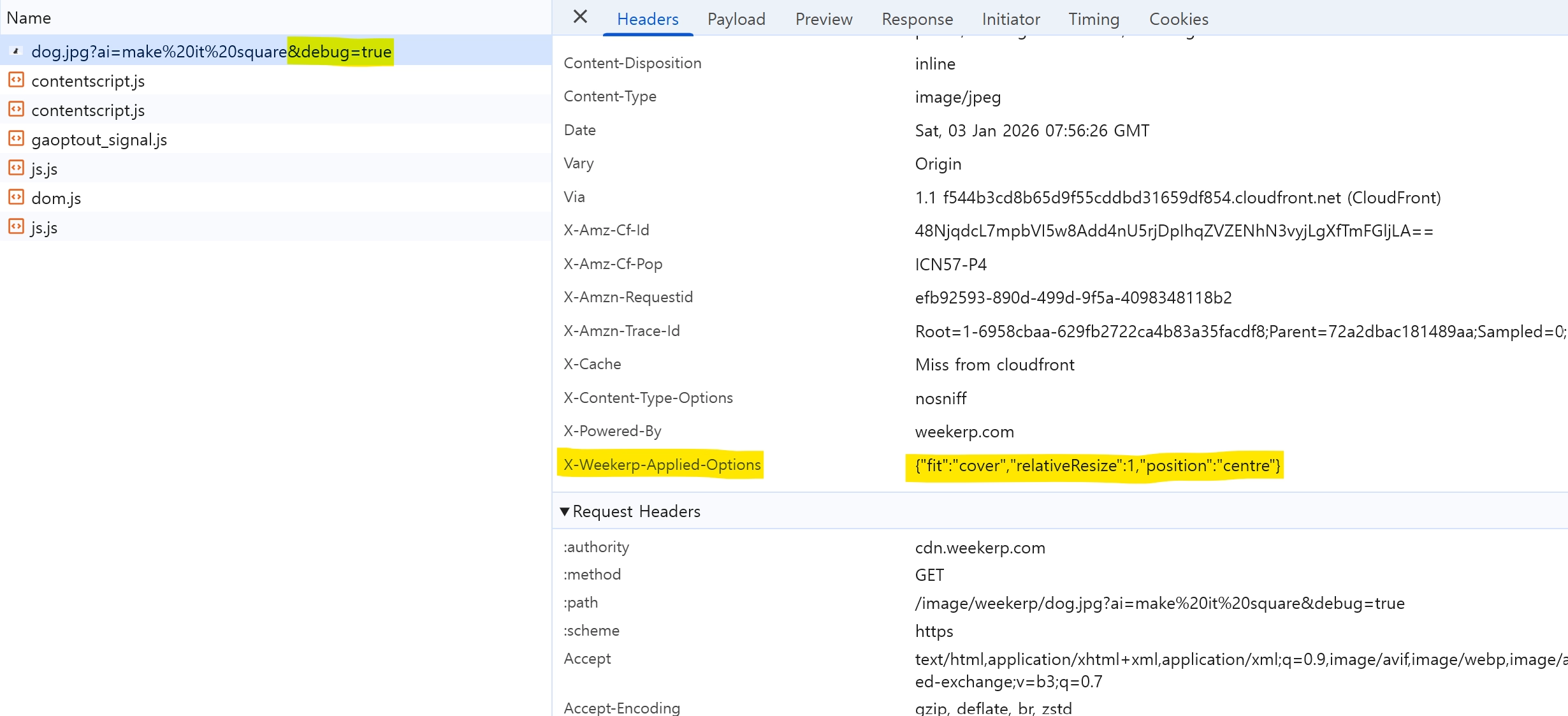
AI 쿼리는 입력한 자연어 요청을 내부적으로 실행 가능한 변환 옵션으로 변환합니다. 디버깅 모드에서는 최종적으로 적용된 옵션을 x-weekerp-applied-options 응답 헤더로 확인할 수 있습니다.
AI 쿼리는 입력한 자연어 요청을 내부적으로 실행 가능한 변환 옵션으로 변환합니다.
디버깅 모드에서는 최종적으로 적용된 옵션을 x-weekerp-applied-options 응답 헤더로 확인할 수 있습니다.
Mac / Linux (bash, zsh)
curl -sI --get "https://cdn.weekerp.com/image/weekerp/dog.jpg" \
  --data-urlencode "debug=true" \
  --data-urlencode "ai=make it square" \
  | tr -d '\r' \
  | awk -F': ' 'tolower($1)=="x-weekerp-applied-options"{print $2}'
Windows CMD
curl -sI -G "https://cdn.weekerp.com/image/weekerp/dog.jpg" -d "debug=true" --data-urlencode "ai=make it square" | findstr /I "^x-weekerp-applied-options:"
출력 예시
x-weekerp-applied-options: {"fit":"cover","position":"centre","relativeResize":1}
웹사이트에서 확인
데모 페이지에서도 URL 입력을 통해 확인할 수 있습니다.
개발자 도구에서 확인
https://cdn.weekerp.com/image/weekerp/dog.jpg?ai=make it square&debug=true
debug=true 옵션을 활성화하면 개발자도구의 응답헤더에서 x-weekerp-applied-options 를 확인할 수 있습니다.