
AI Crawler Analytics: See How Often GPTBot and ChatGPT Read Your Website
Track how often AI crawlers like GPTBot and Gemini read your site, and why. See the visitors who arrived from AI answers in the same place.
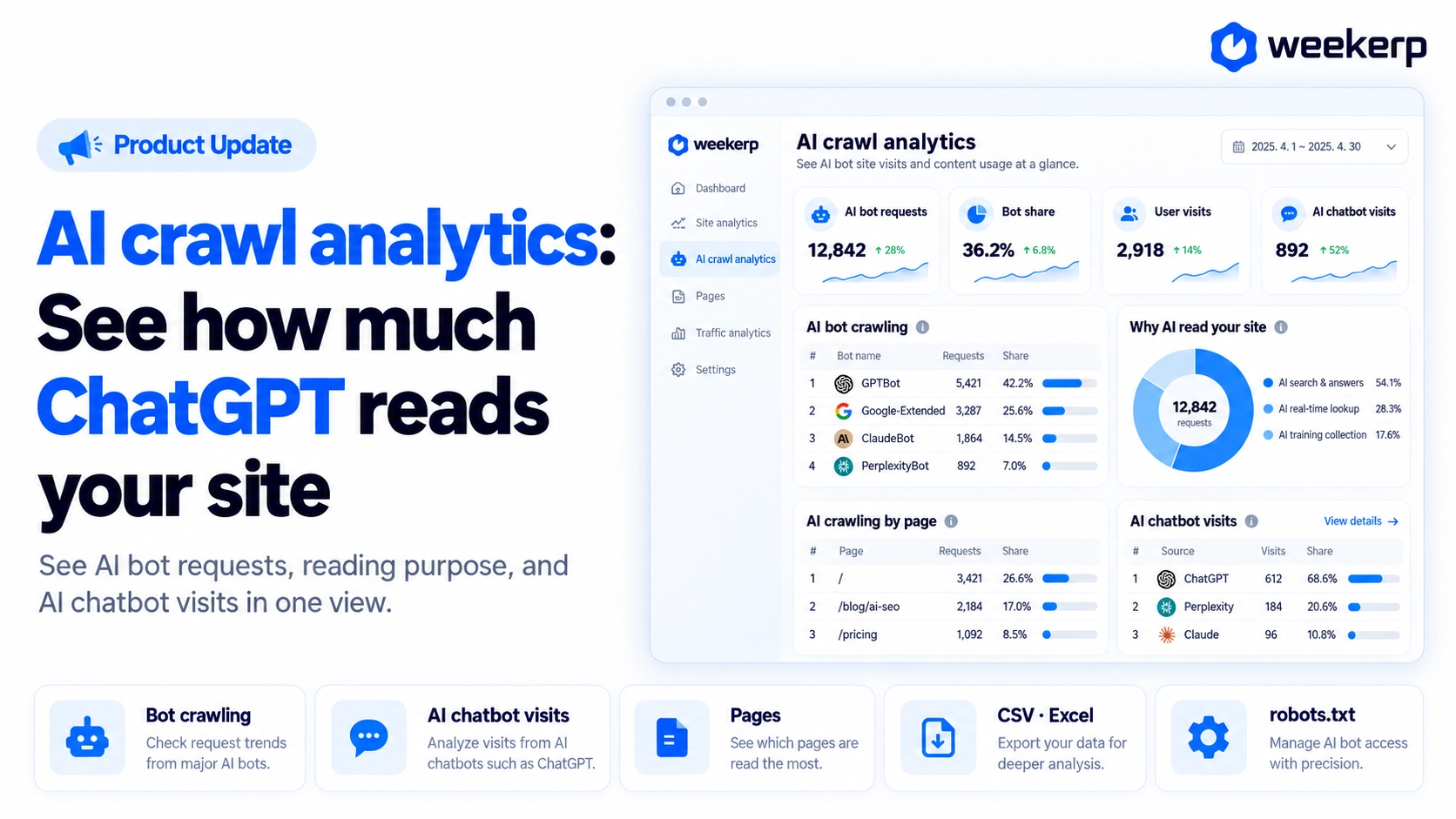
We've opened AI crawler analytics, which keeps measuring how much AI bots read your website and for what purpose. In August, our free AI crawlability checker gave you a one-time answer to "Can AI read my site?" Now we build up a day-by-day picture of "How much did AI actually read?" See whether your GEO work is paying off, in real numbers. :)
What we had in mind when we built it
-
We count the AI bots Google Analytics can't see. AI crawlers don't run scripts, so they barely show up in Google Analytics. Weekerp sorts every request coming into your site into bots and humans, so there's no tracking code to install.
-
We split out why AI read your site. Reading a page to quote it in an answer and collecting it for training mean completely different things. So we split AI traffic into AI search & answers, AI live fetch, and AI training. The first two lead to visibility, and training crawlers can be turned away with
robots.txtif you'd rather not have them. -
We connect AI reads to real visits. At Weekerp, we cared less about how many AI bots came by and more about whether people actually followed. So you can see AI bot requests and users who arrived from AI answers side by side.
Who it's for
-
You've started on GEO and AI search optimization, but have no way to tell whether it's working
-
You want to know whether AI like ChatGPT, Gemini, and Perplexity is actually reading your site
-
You're thinking about blocking AI crawlers, and want to see which bots come and why before you decide
What's included
Once your site is connected to Weekerp, it's all under Analytics in the left menu.
-
Bot crawling: See which bots take how much, and for what purpose. Click a bot name like GPTBot to open the paths it fetched.
-
Inflow from AI chatbots: Users who clicked a link in an AI answer from ChatGPT, Perplexity, and others and actually landed on your site. This is where you see the payoff of being visible in AI.
-
Pages: A ranking of the pages and files bots fetched most. Sort by 4xx to quickly find paths that keep failing.
-
CSV and Excel export: Pick the data you need for a report or to share with your agency. The Excel file opens with an info sheet listing the period, descriptions, and data sources.
How to use
-
Connect your site to Weekerp. If you haven't yet, you can look around first with Explore with sample data.
-
Open Overview under Analytics in the left menu. Numbers start filling in 1 to 2 hours after you connect.
-
Want to block training crawlers? Edit your
robots.txtin Sites > Advanced.
See the results of your AI search optimization in numbers, not guesses. Start your AI crawler analytics today.